
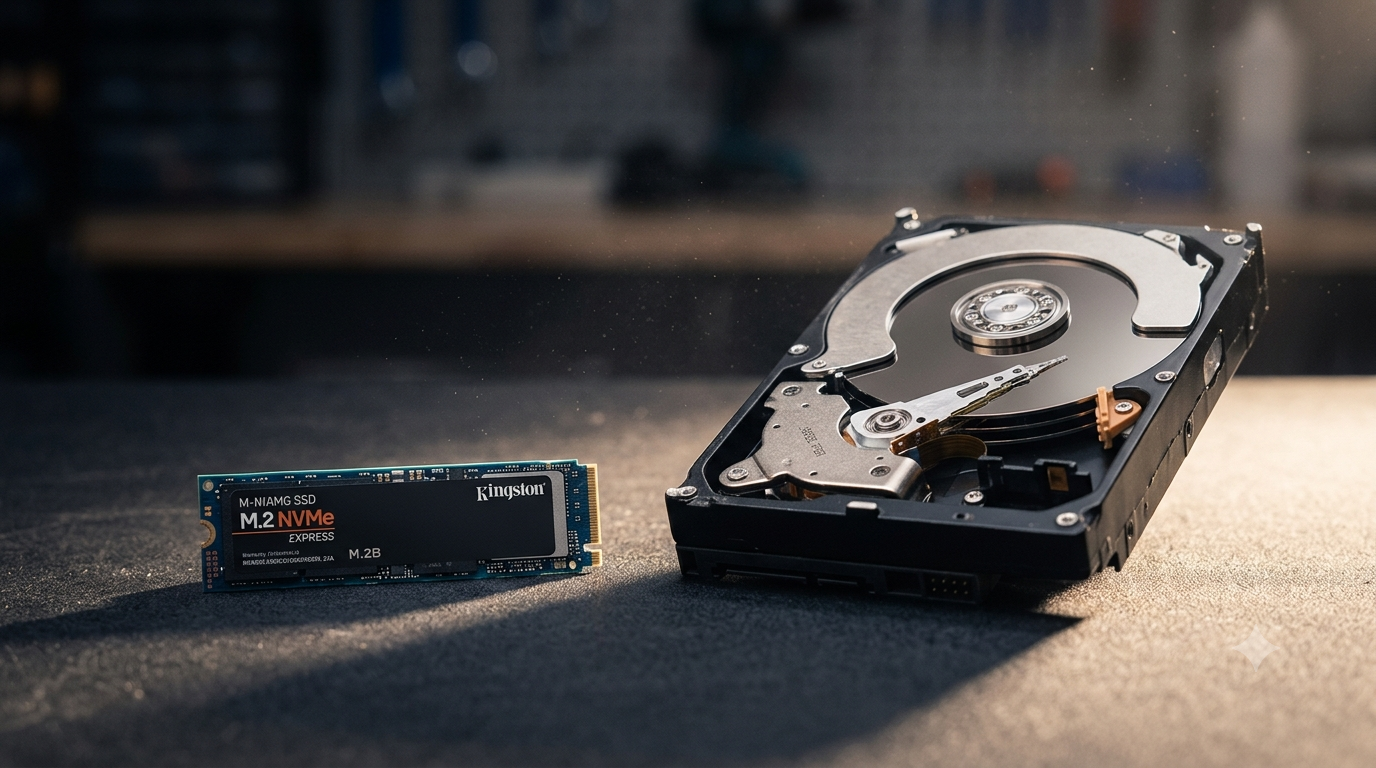
When comparing SSD vs HDD in a laptop, the SSD wins on every single measure: speed, reliability, weight, battery life and durability. A laptop with an SSD boots in under 15 seconds, opens applications almost instantly, and doesn’t slow down over time. A laptop with a hard drive (HDD) takes 1–2 minutes to boot, lags under load, and is the single most common reason laptops feel slow. All refurbished laptops from Technology Core in Leicester include SSDs as standard — we replace HDDs before sale.
SSD vs HDD Laptop — Full Comparison
| Feature | SSD | HDD |
|---|---|---|
| Boot time | 10–20 seconds | 60–120 seconds |
| App launch speed | Instant / near-instant | Slow — several seconds |
| Read/write speed | 500–3,500 MB/s | 80–160 MB/s |
| Noise | Silent | Clicking / spinning |
| Shock resistance | High — no moving parts | Low — spinning platters |
| Weight impact | Lighter | Heavier |
| Battery impact | Uses less power | Drains battery faster |
| Lifespan | 5–10+ years | 3–5 years |
| Cost (256GB) | £20–£40 (upgrade) | £15–£30 |
What Is the Difference Between an SSD and an HDD?
A hard drive (HDD) stores data on spinning magnetic platters. A read/write head physically moves across those platters to access data — it’s essentially a miniature record player inside your laptop. This mechanical process is inherently slow and vulnerable to physical shock. An SSD (Solid State Drive) has no moving parts — it stores data on flash memory chips, similar to a USB stick but far faster and more durable. Data is accessed electronically rather than mechanically, which is why the speed difference is so dramatic.
How Much Faster Is an SSD Than an HDD?
A typical laptop SSD reads data at 500–550 MB/s. A typical laptop HDD reads at 80–130 MB/s. That’s roughly 5–7x faster for sequential reads. For random access — loading many small files at once, which is exactly what Windows does during boot — the speed gap is even larger: SSDs are often 50–100x faster for random reads. The result in real-world use: a laptop with an SSD boots Windows in 10–15 seconds. The same laptop with an HDD takes 60–120 seconds. Opening a browser, a Word document, or an application takes under a second on an SSD vs 5–15 seconds on an HDD.
Is an SSD More Reliable Than an HDD in a Laptop?
Yes — significantly. HDDs have spinning platters and a read/write arm that can be damaged by drops, bumps and vibration while the drive is running. This is a serious concern in laptops that are carried daily. SSDs have no moving parts, so a drop that would damage or destroy an HDD typically has no effect on an SSD. For laptop use — where the device is regularly moved, knocked, and carried — an SSD is the only sensible choice. HDD failure is also one of the most common causes of data loss in laptops.
Does an SSD Improve Battery Life?
Yes — SSDs consume roughly 2–5 watts compared to 6–8 watts for a typical laptop HDD. The saving varies depending on usage, but switching from HDD to SSD can add 30–60 minutes of real-world battery life in everyday use. For a laptop already running a 4–6 hour battery, this is a meaningful improvement.
Can You Upgrade a Laptop from HDD to SSD?
On most ThinkPads and Dell Latitudes, yes — the storage drive is accessible by removing the back panel and is a straightforward swap. A 256GB SSD costs around £25–£35 and the upgrade takes under 30 minutes at Technology Core, Leicester. You’ll need to reinstall Windows or clone your existing drive. We offer SSD upgrade and installation as part of our repair and upgrade service — or you can buy one of our laptops which already have SSDs fitted and tested.
Why All Technology Core Laptops Have SSDs
Every certified refurbished laptop sold by Technology Core in Leicester includes an SSD as standard. If a laptop arrives from our sourcing with a hard drive, we replace it with a new SSD before sale and include the cost in the price. We do this because a laptop with an HDD in 2026 simply isn’t good enough — and we won’t sell something that doesn’t perform properly. This is one of the key reasons our certified refurbished laptops are reliable — every core component is checked and replaced where necessary.
Frequently Asked Questions
Is an SSD better than an HDD for a laptop?
Yes — in every measurable way. SSDs are 5–10x faster, lighter, quieter, more shock-resistant and more energy-efficient than HDDs. There is no scenario in 2026 where an HDD is the better choice for a laptop. If a laptop has a hard drive, upgrade it or replace it.
How much SSD storage do I need in a laptop?
256GB is sufficient for most users — it comfortably holds Windows 11, your installed applications and several years of documents, photos and downloads. 512GB gives more headroom if you store large video files or use your laptop as your primary media device. Most Technology Core laptops are available with 256GB or 512GB SSDs.
Can I tell if my laptop has an SSD or HDD?
Yes — in Windows 11, open Task Manager (Ctrl + Shift + Esc), click “Performance” then “Disk.” If it shows “SSD” or an NVMe model number, you have an SSD. If it shows a brand name followed by “HDD” or a high storage capacity (1TB or 2TB) at suspiciously low cost, it’s likely a hard drive. You can also right-click the drive in Device Manager and check the model number.
How long does an SSD last in a laptop?
A quality laptop SSD typically lasts 5–10 years under normal use. SSDs have a finite number of write cycles, but for everyday tasks this limit is rarely reached in the lifespan of the laptop. Data retention without power is rated at 10+ years for most modern SSDs.
Do Technology Core refurbished laptops have SSDs?
Yes — every laptop sold by Technology Core, Leicester, includes a tested SSD as standard. HDDs are replaced before sale. All drives are checked during our 30-point inspection process and come with a 14-month warranty covering hardware faults.
Browse our full range of certified refurbished laptops — all with SSDs, genuine Windows 11 licences and 14-month warranties. Free next-day delivery across the UK from Leicester.
Leave a Reply